Every Field in the Criteria Builder, Explained in Plain English
What each field in the Momentum Bets criteria builder actually does - market, odds state, trigger vs. shift, market value, American odds filter - with examples.
The criteria builder asks you a handful of questions, and every one of them changes what your alert does. This is the field-by-field reference: what each one means, what to put in it, and the small print that isn't obvious the first time through. If you haven't built an alert yet, the step-by-step walkthrough is a gentler place to start.
Criteria name
A label, nothing more. It's included in every notification the alert sends, so name it the way you'd want to read it on a lock screen: "Dodgers down early," not "test 3."
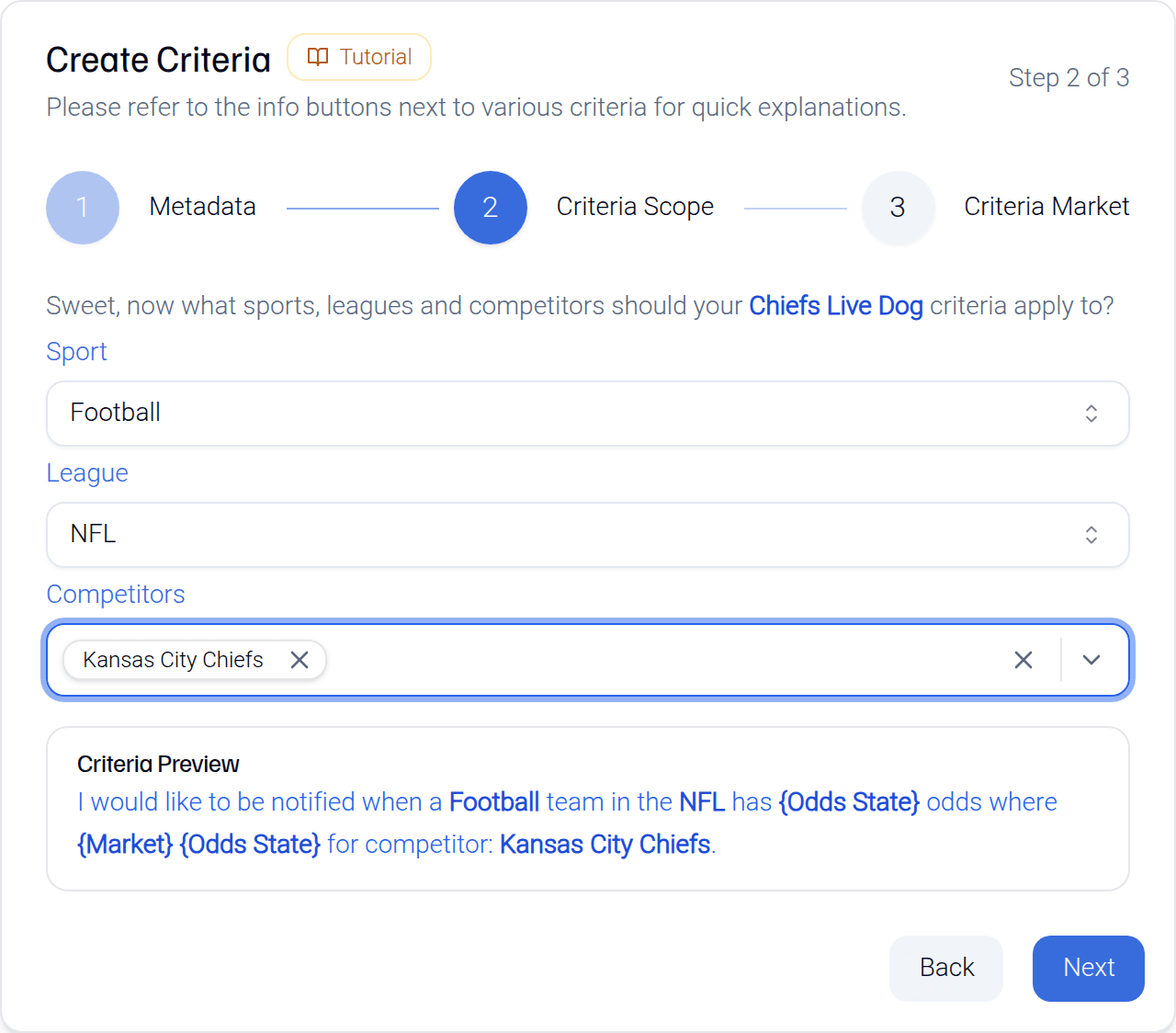
Sport, league, and competitors
These three dropdowns decide which games your alert watches. Sport and league are single picks. Competitors is a multi-select: one team, a handful, or all of them. Selecting every competitor turns the alert into a league-wide scanner - useful when you care about a situation (any live dog at +250) rather than a team.
Market
Three options, and they're the three you'd guess:
- Moneyline - who wins the game. The value you set is an American price like +150 or -200.
- Spread - the margin. The value is a number of points like +3.5.
- Total - combined score, over/under. The value is a number like 45.5.
One thing that trips people up: alerts evaluate main lines only. An alternate spread or alternate total crossing your number won't fire anything. If odds formats themselves are the confusing part, the odds converter has you covered.
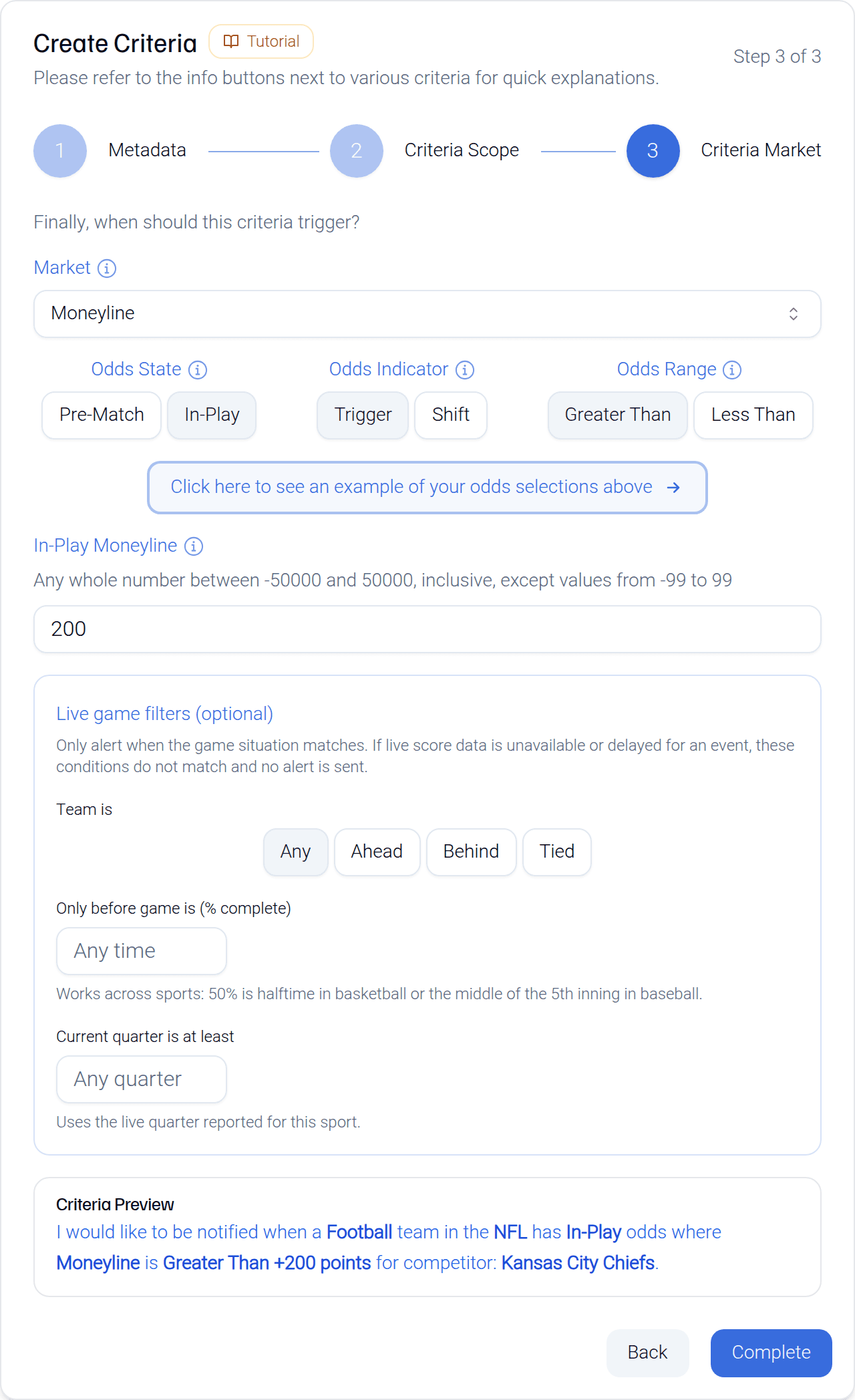
Odds state: pre-match or in-play
When should the alert be listening? Pre-match watches the line from open until kickoff. In-play watches the live number while the game runs. A pre-match alert goes quiet at game start; an in-play alert doesn't exist until it.
Indicator: trigger or shift
The most important choice in the form. A trigger fires when the number crosses a fixed threshold you set - "total drops below 44." A shift fires when the number moves by an amount you set - "total moves a full point, either direction." Triggers are for prices you already have in mind; shifts are for hearing about movement itself. It's a big enough topic that it has its own guide.
Direction (greater than / less than)
For trigger alerts, which way matters. Greater than fires when the market's value climbs past your number; less than fires when it falls below. Note this applies to the value of the market you picked - the spread or total itself, not its price. A total "less than 44" means the number 44, not -110.
Market value
What you're comparing against. It reads differently by setup:
- Trigger - the exact threshold. Moneyline +200, spread +7.5, total 44.5.
- Pre-match shift - how far the line has to move before you hear about it.
- In-play shift - your reference point: the pre-match line you're measuring live movement from. A second field then sets the live threshold that actually fires the alert.
American odds filter (spread and total only)
Spreads and totals have two numbers: the line and its price. This optional field is the price part. Set a total alert at 45.5 with an American odds filter of -110, and it only fires when the total reaches 45.5 and the price is -110 or better. It keeps you from getting pinged on your number at a price you'd never take.
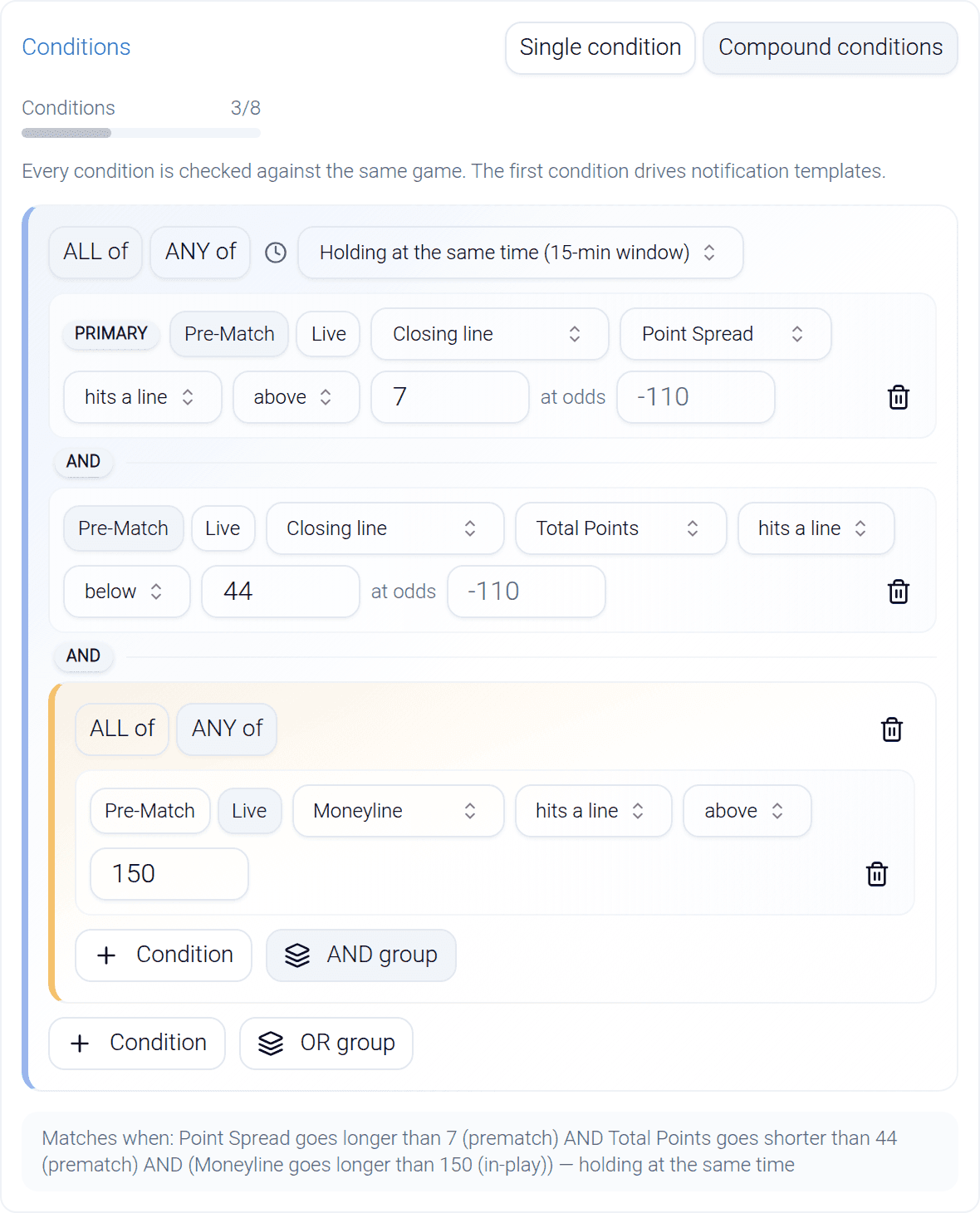
Compound conditions
Everything above describes one condition. Compound alerts chain several together - across markets, or across time - so the alert only fires when all of it lines up. Free includes one compound alert, Sharp includes five, and Syndicate makes every alert compound-capable. Plan details live on the pricing page.
That's the whole form. None of it is a prediction and none of it is advice - you're describing a market situation, and Momentum Bets tells you when it exists. The describing part is on you, which is exactly how it should be.