How to Set Up a Sports Betting Alert (Step by Step)
A plain-English walkthrough of creating your first betting alert in Momentum Bets: name it, pick your sport and teams, set the trigger, done in about two minutes.
Setting up your first alert takes about two minutes. You answer three questions: what do you want to call it, which games does it apply to, and what has to happen for your phone to buzz. That's the whole thing. This guide walks through each step with a real example.
The example we'll build: alert me when the Chiefs' live moneyline gets longer than +200. In other words, tell me when Kansas City falls behind badly enough that the market turns them into a real underdog, mid-game.
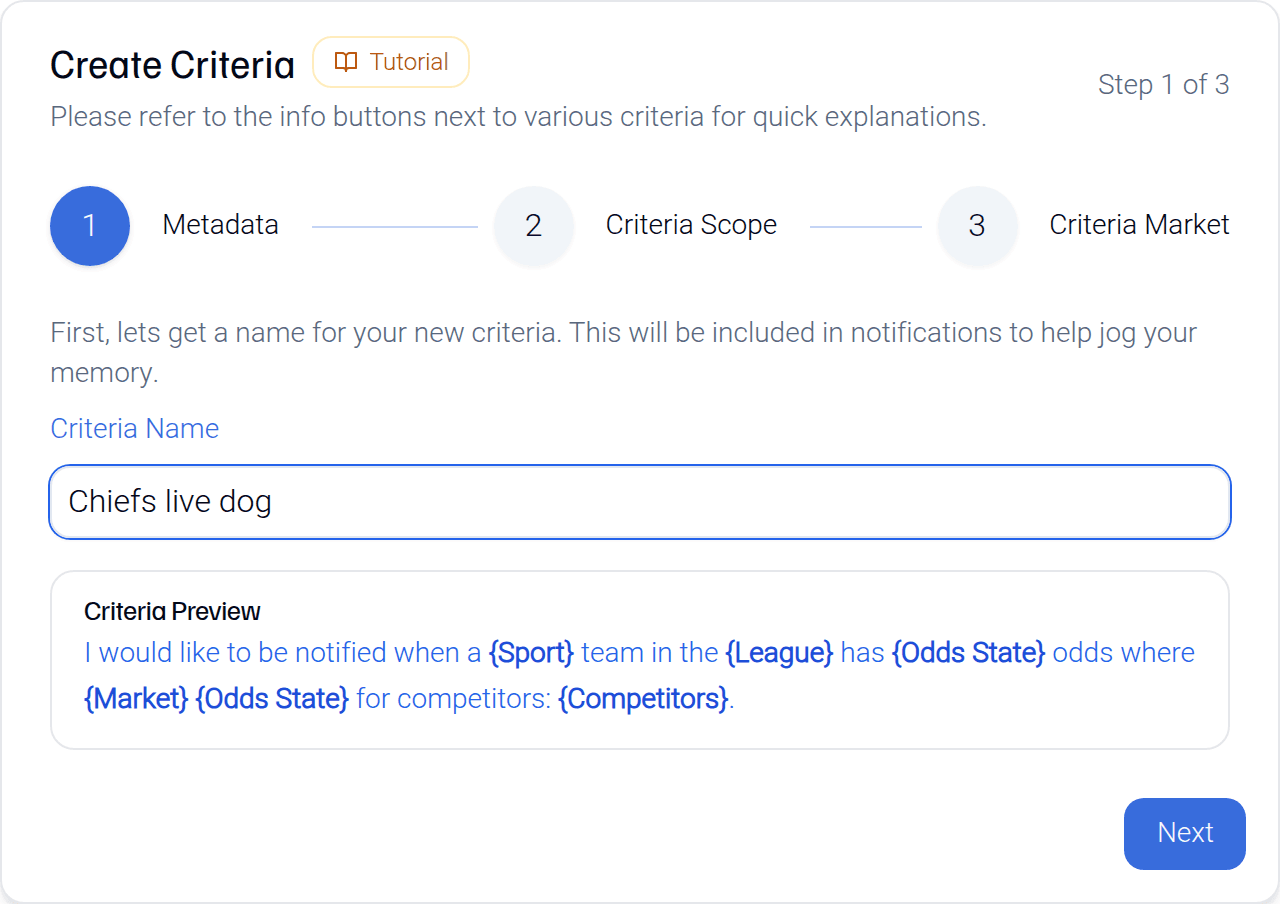
Step 1: Name it
The first field is just a label. Call it something you'll recognize on your phone, because the name is included in every notification it sends. "Chiefs live dog" beats "Criteria 7" when you're reading a notification at a glance.
Step 2: Pick the games it watches
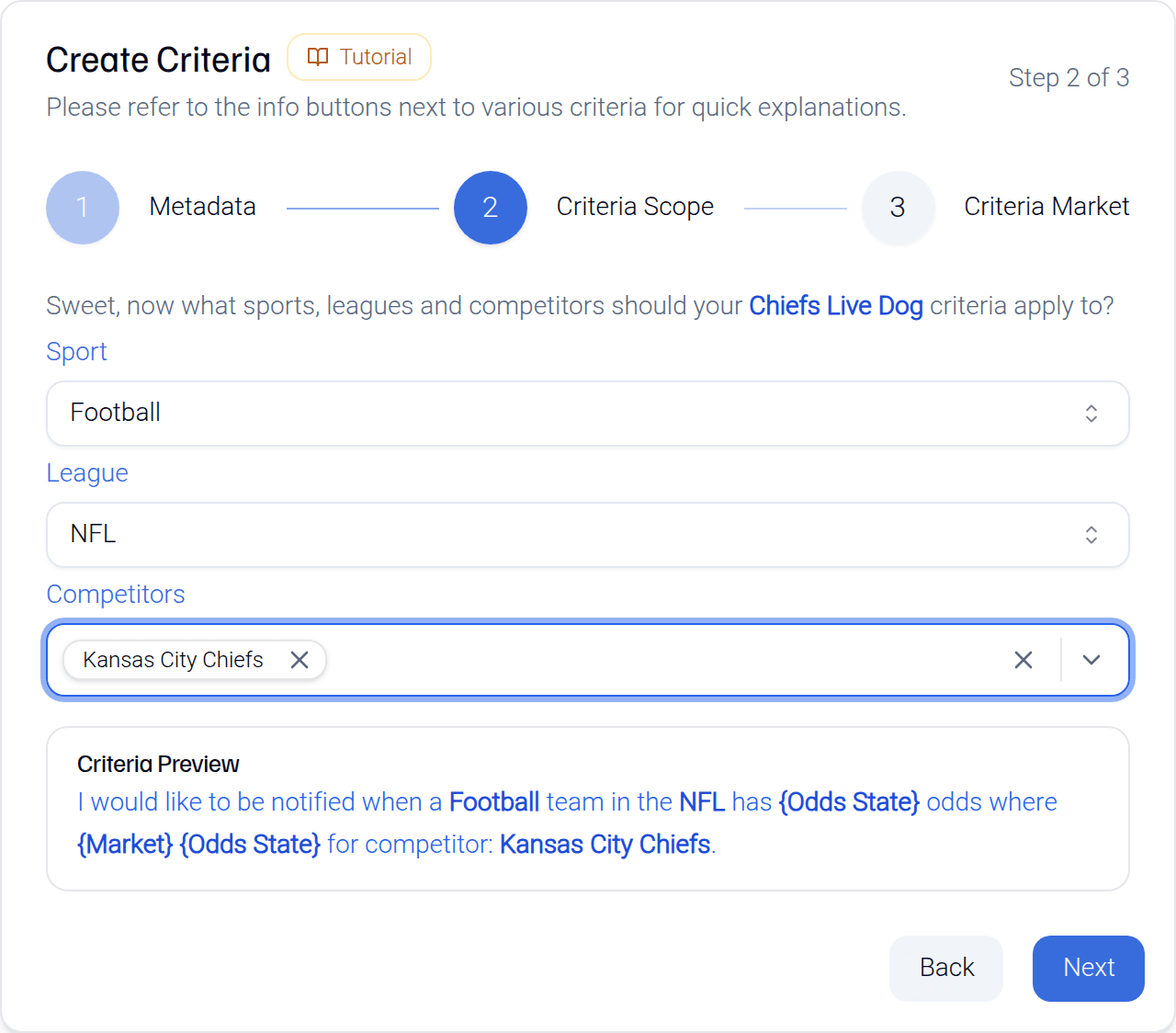
Three dropdowns, from broad to narrow:
- Sport - football, basketball, baseball, and so on.
- League - the leagues available for that sport, like NFL or NCAA Football.
- Competitors - the teams or players you care about. Pick one, pick several, or select them all if you want the alert to watch the whole league.
For our example: Football, NFL, Kansas City Chiefs. If you wanted the same alert for every NFL team - any live dog past +200, league-wide - you'd just select all competitors instead.
Step 3: Set the trigger
This is the step with the most knobs, but the defaults carry you:
- Market - moneyline, spread, or total. We want moneyline.
- Odds state - pre-match or in-play. We want in-play, since the whole point is catching the live price.
- Indicator - a Trigger fires when the number crosses a fixed threshold. A Shift fires when the number moves by an amount you set. We want Trigger. (Not sure which you need? Trigger vs. shift, explained.)
- Direction and value - greater than +200. That's it.
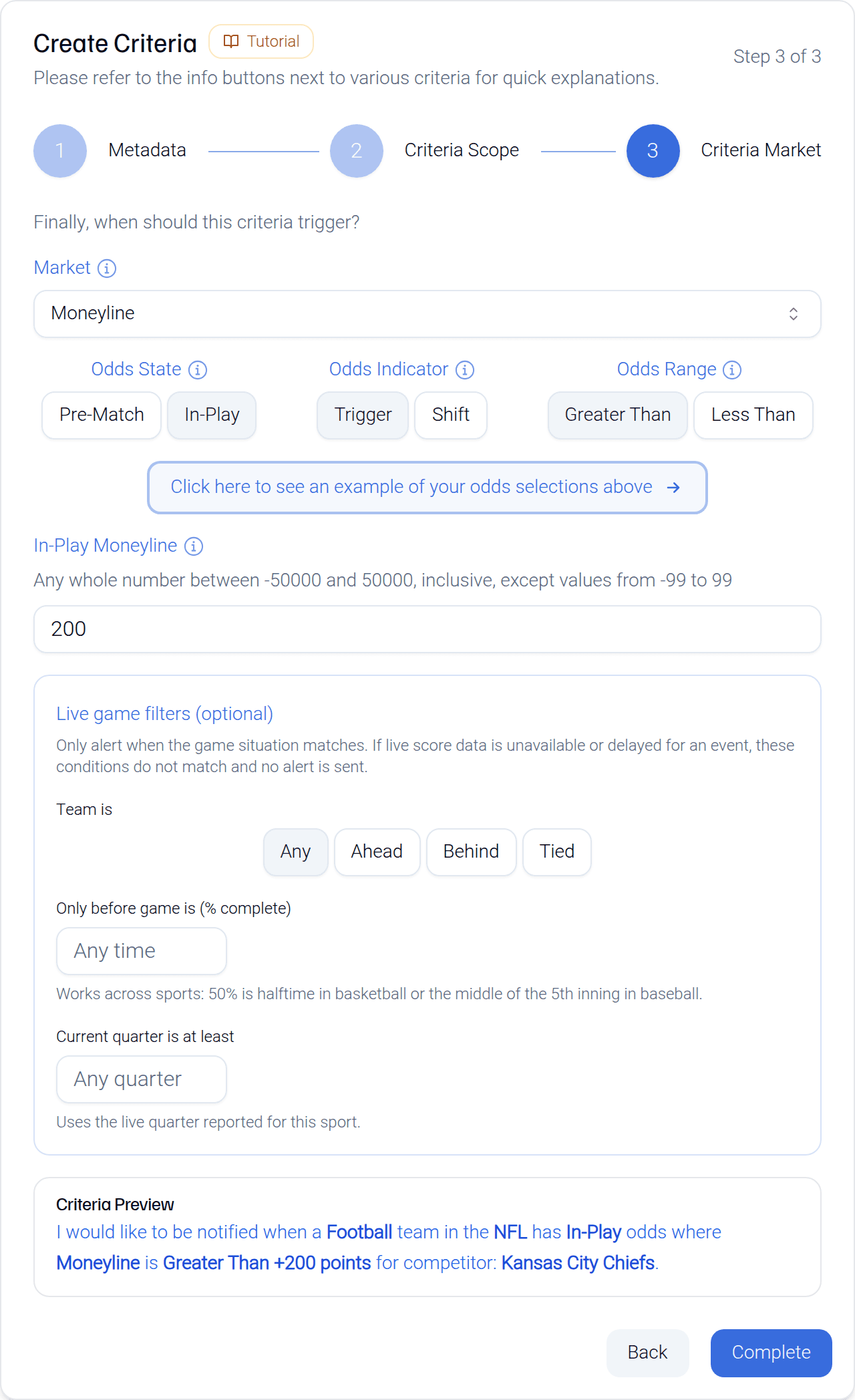
Save it, and you're live. From that moment, Momentum Bets watches every Chiefs game and sends a notification the instant their in-play moneyline crosses +200. What you do with that information is entirely up to you - we surface the number, not a recommendation.
A couple of things worth knowing
- Alerts evaluate main lines only. Alternate spreads and alternate totals won't fire a notification.
- You can pause, edit, or delete any alert from your dashboard, and saved criteria stick around - handy for rotating alerts by season.
- Every field in the form is covered in plain English in the field-by-field guide if you want the details behind any of the knobs.
Where to go from here
If you'd rather start from a working example than a blank form, grab one from five starter alerts you can copy. And if you want the reasoning behind why a moving line matters in the first place, line movement, explained is the place to start.